
Show your clients what repayment could look like.
Check honestly with your client whether a repayment plan can work, then build, compare and present the options during the session. Your client leaves with their own plan to track day by day and month by month, in the browser or as an app, plus a PDF, a spreadsheet and, when needed, a Standard Financial Statement.
Already a member? Go to your dashboard →
Spreadsheets weren't built for client sessions.
You know the drill. A shared Google Sheet with manual formulas. Balances that don't update. No way to show a client what happens if they pay an extra £50 a month.
DebtRiot is a debt planning tool for anyone who works through debts with a client: money coaches, financial wellbeing practitioners, frontline support staff and regulated debt advisers. Check together whether a repayment plan can work, enter the debts with priority debts first, compare five strategies side by side and present the plan on screen. The tool works out and shows the options; it never recommends one, and the client decides. If you give regulated advice, that advice stays yours. If you don't, the tool helps you inform and points people to free, regulated debt advice. Your client leaves with their own plan to track day by day and month by month, in the browser or as an app, plus a PDF, a spreadsheet and, when needed, a Standard Financial Statement.
Four steps. One session.
Enter
Add your client's income, spending in Standard Financial Statement categories, and debts: balances, rates and minimum payments. Priority debts are recognised. APR or EAR adjusts to the debt type, including 0% promotional periods and overdraft compounding.
Check
See together whether a repayment plan can work at all. If it can't, no plan is forced: the tool points to free debt advice and the Standard Financial Statement is ready to take along.
Compare
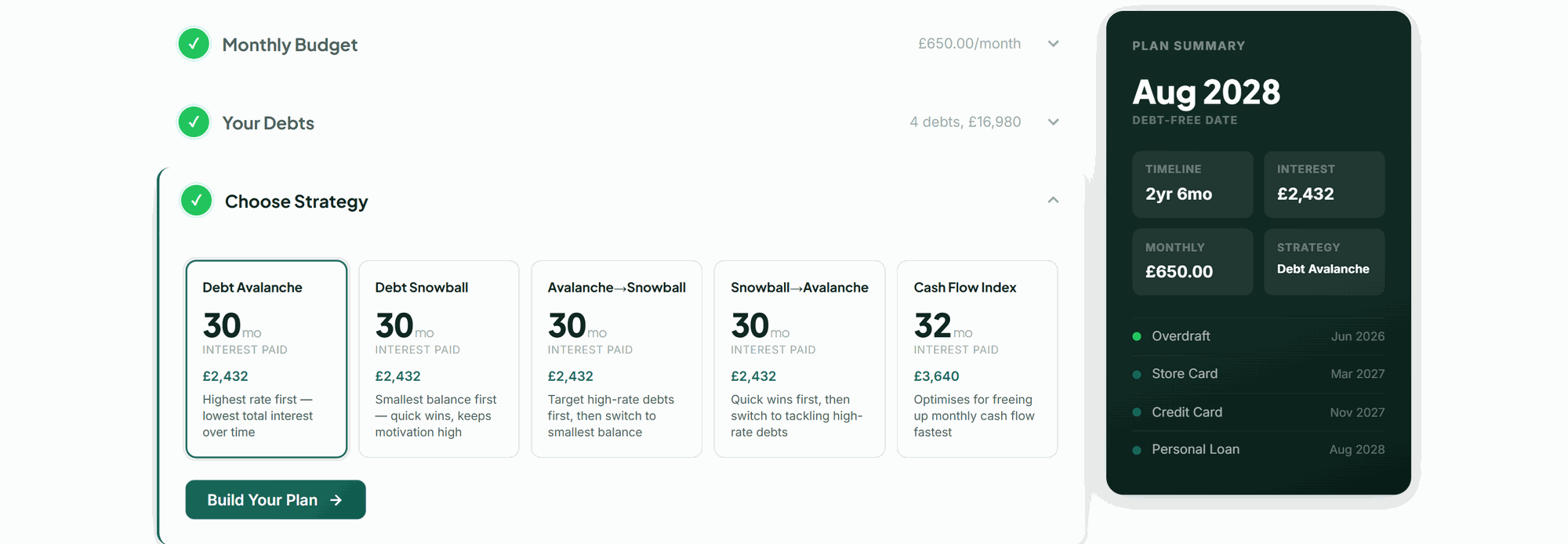
See five repayment strategies side by side: Avalanche, Snowball, two hybrids and Cash Flow Index, with estimated months to clear, estimated total interest and a full payment schedule for each. Priority debts come first in every one.
Present
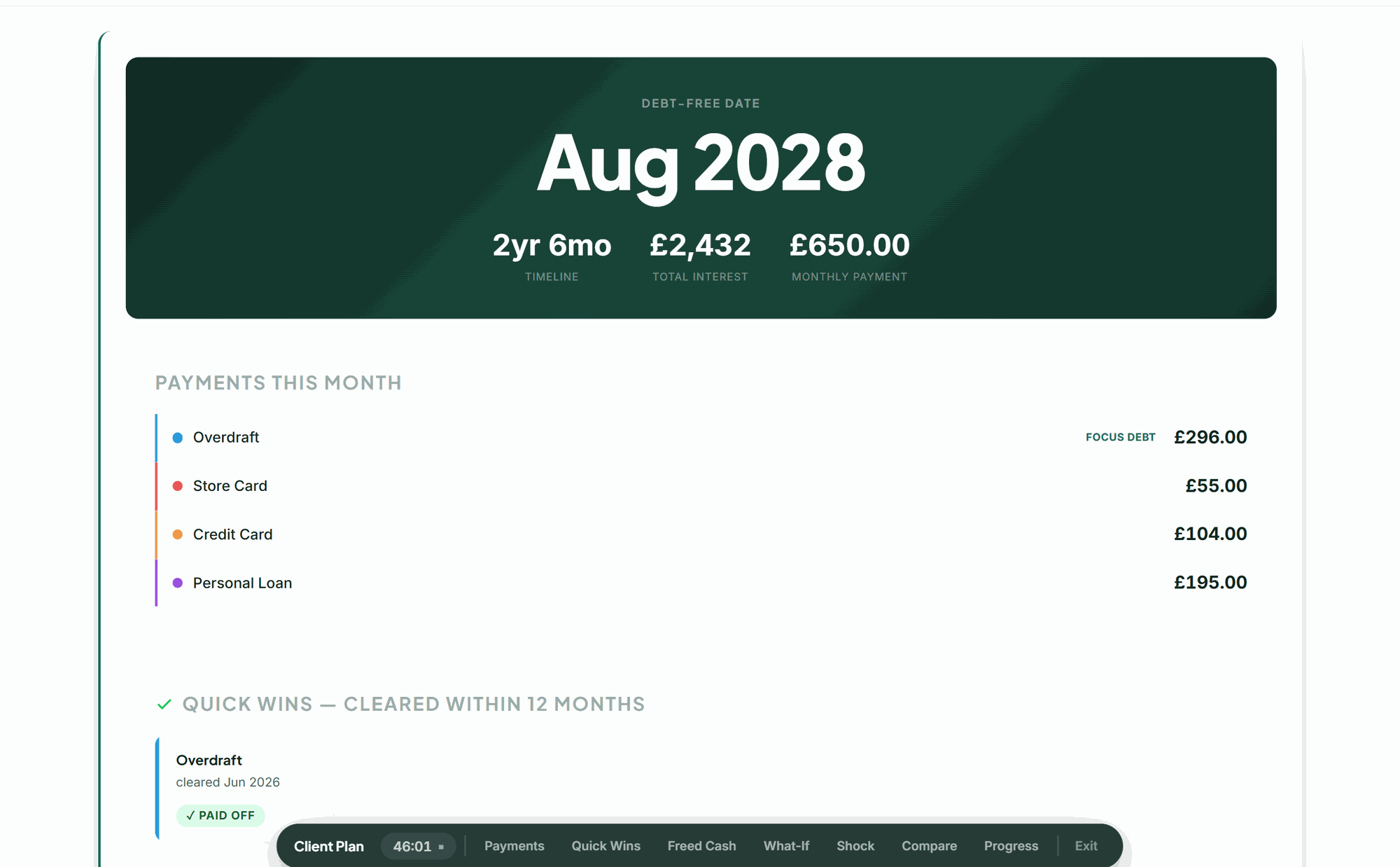
Switch to presentation mode and walk your client through the options on screen. They leave with their own plan to track day by day and month by month, in the browser or as an app, plus a PDF, a spreadsheet and, when needed, a Standard Financial Statement.
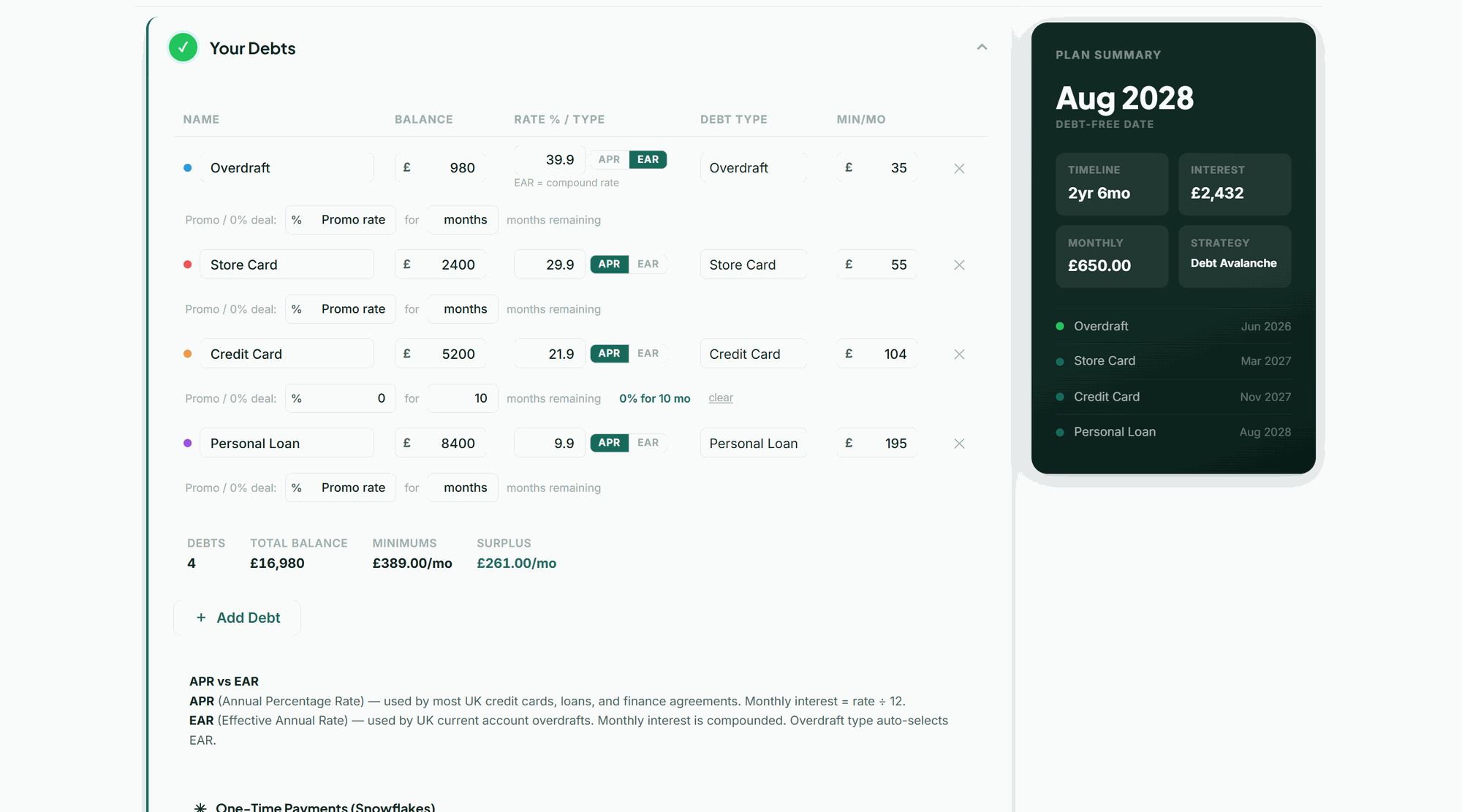
Every UK debt type, handled.
Priority debts such as council tax, rent, energy and court fines sit alongside credit cards, overdrafts, store cards, personal loans, car finance and payday loans, all in one place. Priority debts are recognised and paid first in every strategy. Choose the debt type and the rate field adjusts: APR for credit cards and loans, EAR for overdrafts, so compounding is calculated correctly without you having to think about it. Add 0% promotional periods and the projection adjusts when the rate changes. One-time snowflake payments slot in too.
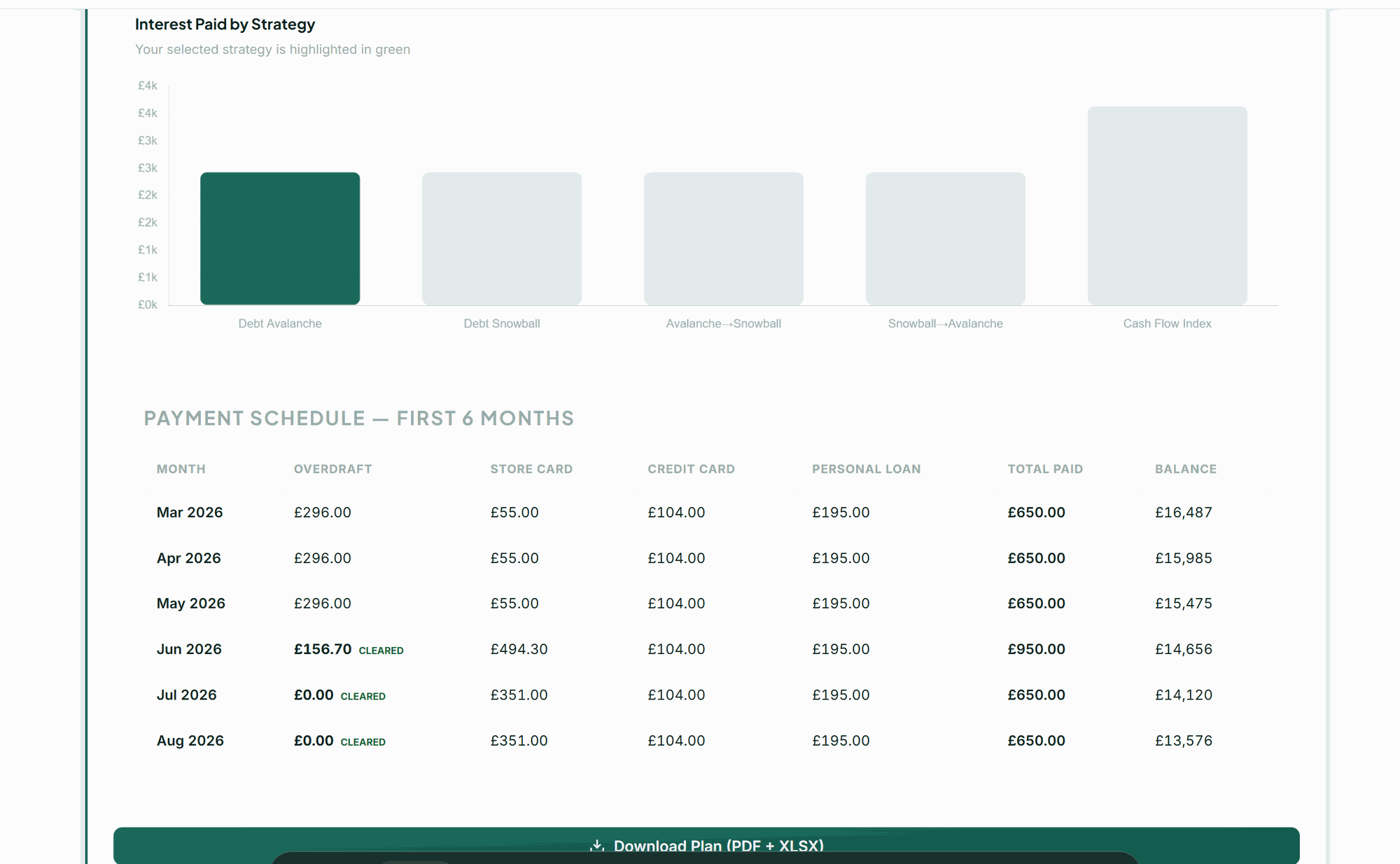
Five strategies. Full schedule.
Your client sees how each strategy could play out: estimated months to clear, estimated total interest, and how each compares with paying minimums only. The tool compares; your client chooses. Once they pick one, the full month-by-month schedule appears below: every debt, every payment, every cleared milestone. The interest comparison chart shows the trade-offs at a glance.
Present the plan, not a spreadsheet.
Presentation mode strips the workspace down to a clean, client-facing view. Walk through payments, quick wins, freed cash, what-if scenarios and the minimum-only comparison, all from a frosted toolbar at the bottom of the screen. A session timer runs in the corner. Your client sees a clear plan. You stay in control of the conversation.
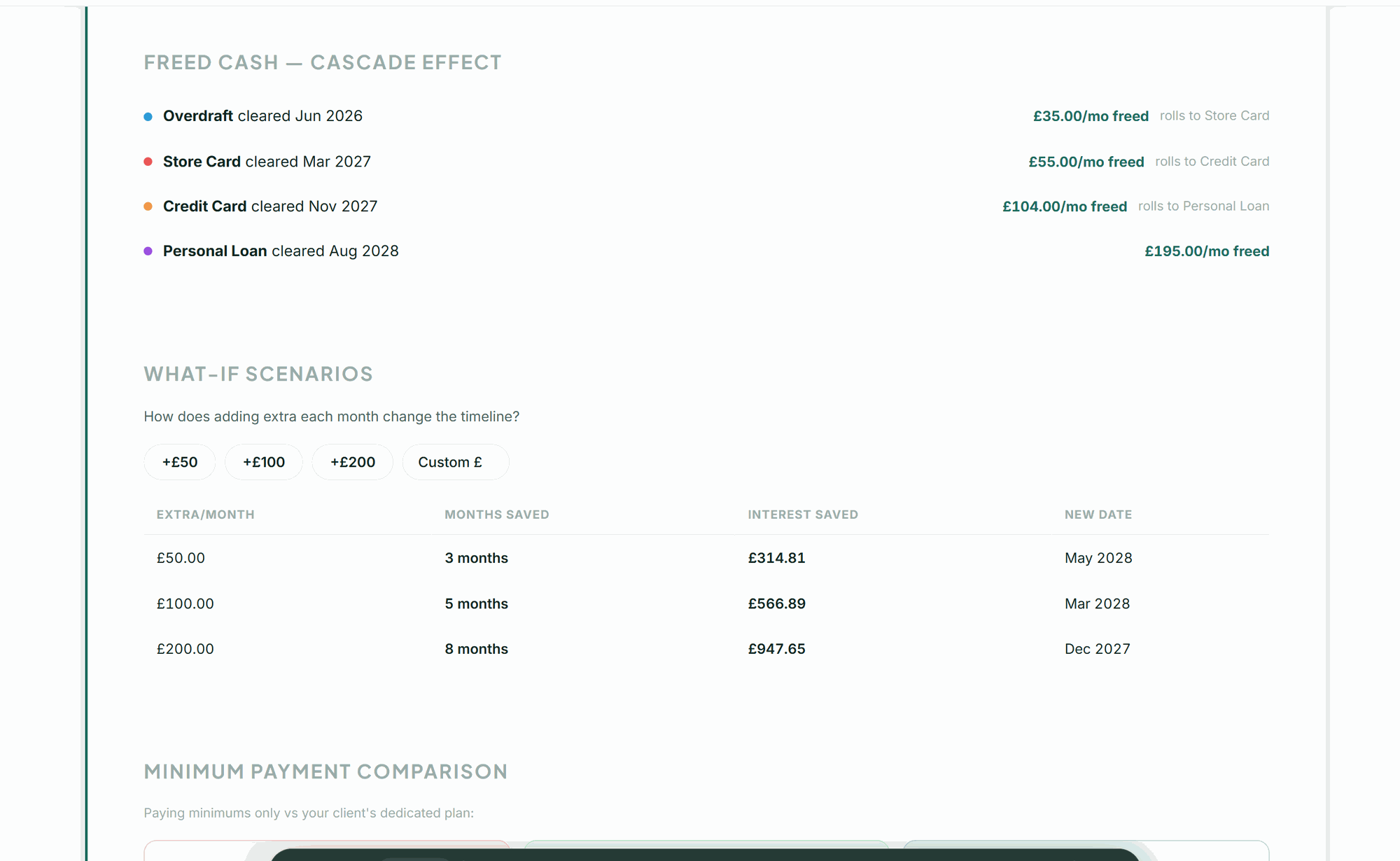
"What if I pay more?"
The freed cash cascade shows your client where the money goes when a debt clears, rolling into the next one automatically. It is the snowball effect made visible. Then run what-if scenarios together: add an amount, and the estimated months and interest recalculate live from your client's own debts, not from rules of thumb.
Minimum payments, side by side.
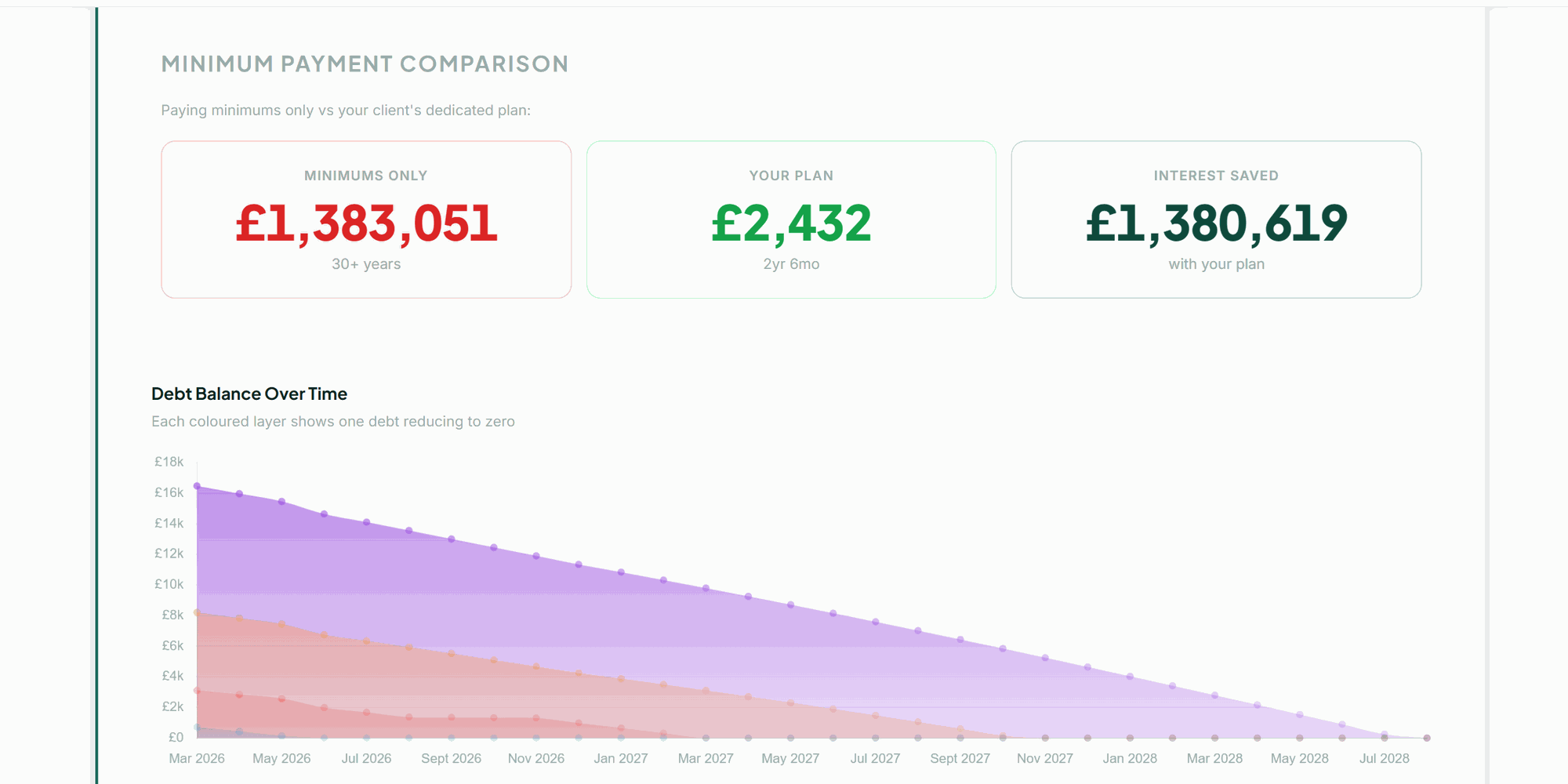
Minimum payments only, or a structured plan? The comparison shows the estimated difference in pounds and months, calculated from your client's own debts rather than an average. The stacked area chart shows each balance month by month until it reaches zero.
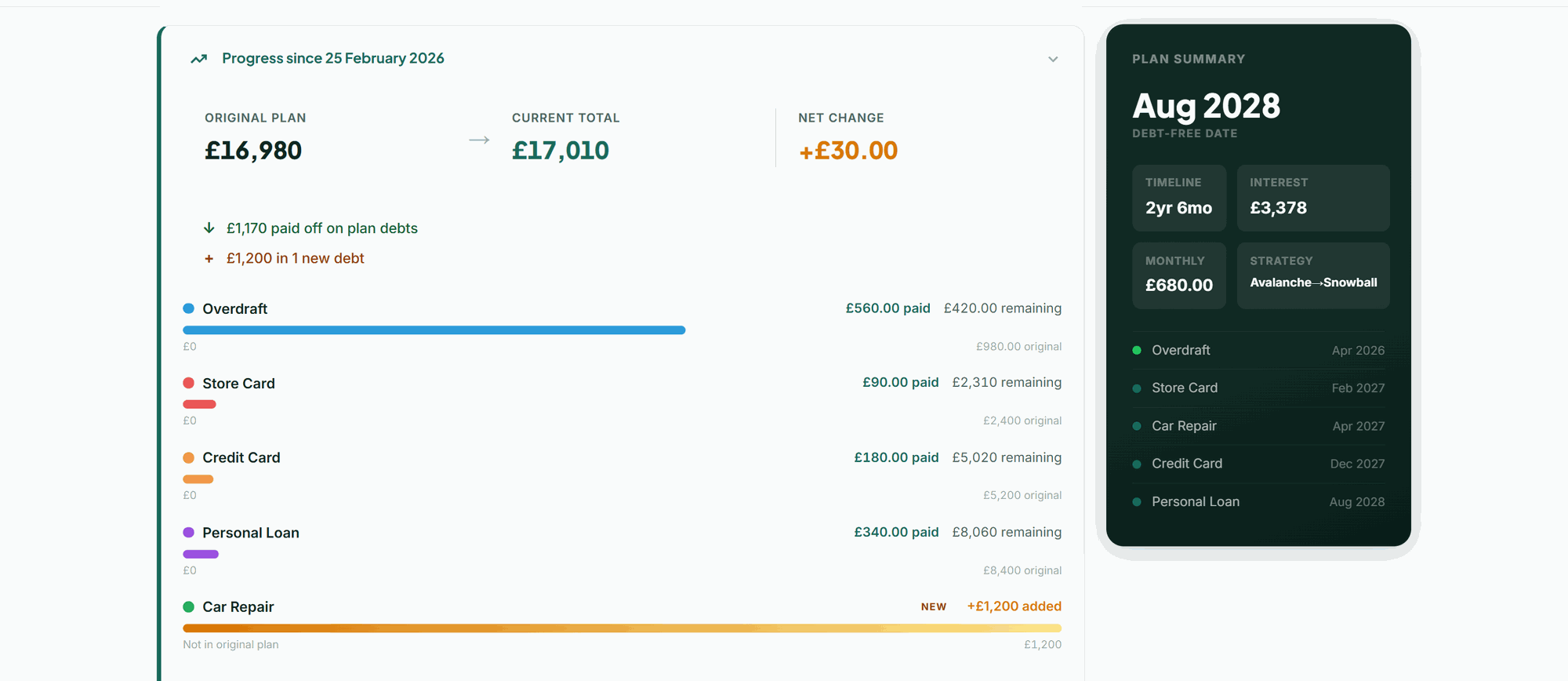
Between sessions, and the next one.
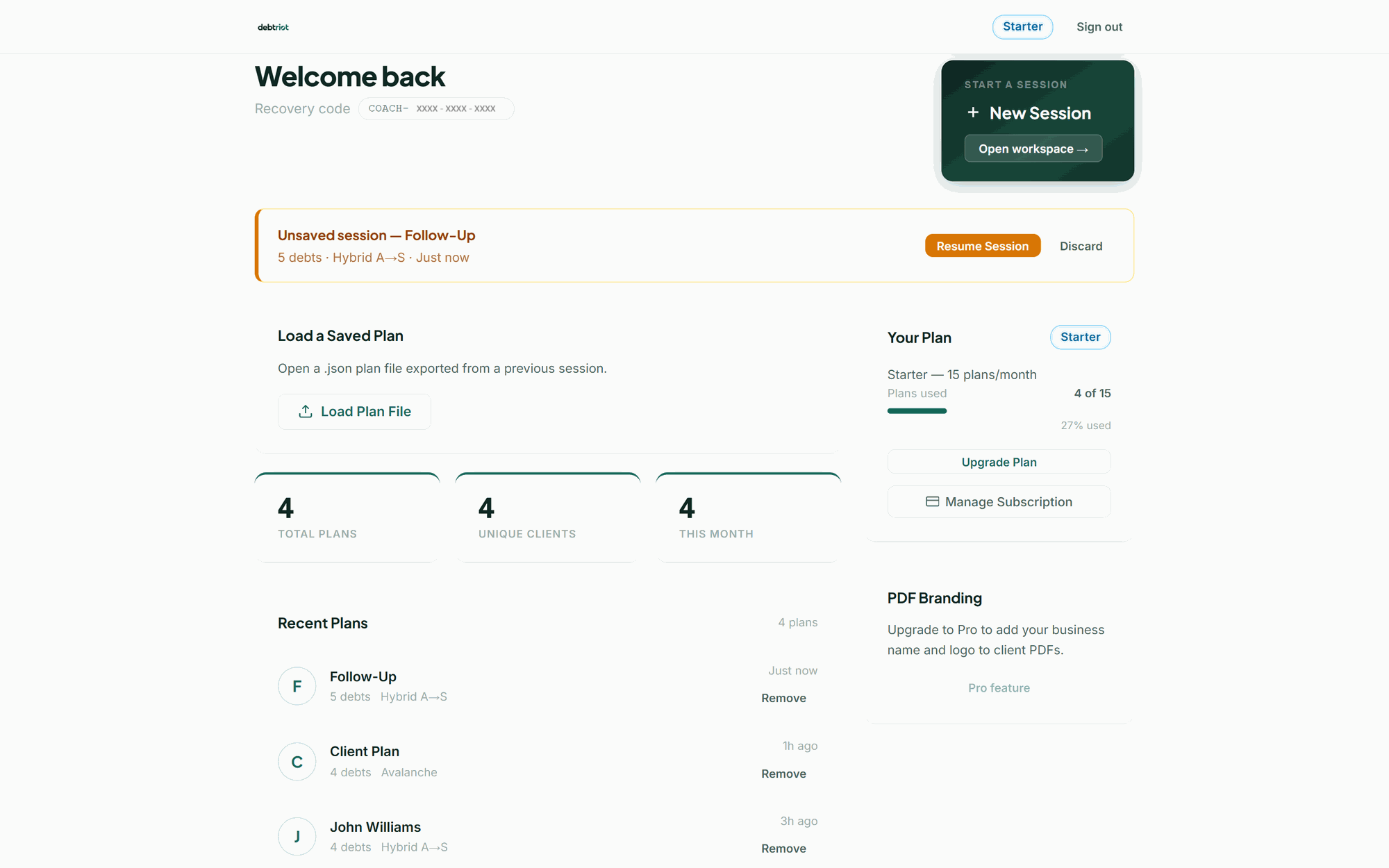
Your client takes the plan home and tracks it on their own device: every payment day by day, the months ahead, and a monthly check-in that rebalances the plan and gives a new finish date, with free help and an Exit this page button always in reach. At the next session, load the plan, enter updated balances, and the tool compares original against current, per debt, with colour-coded progress bars. You see what has been paid off, what has changed and whether new debts have appeared.
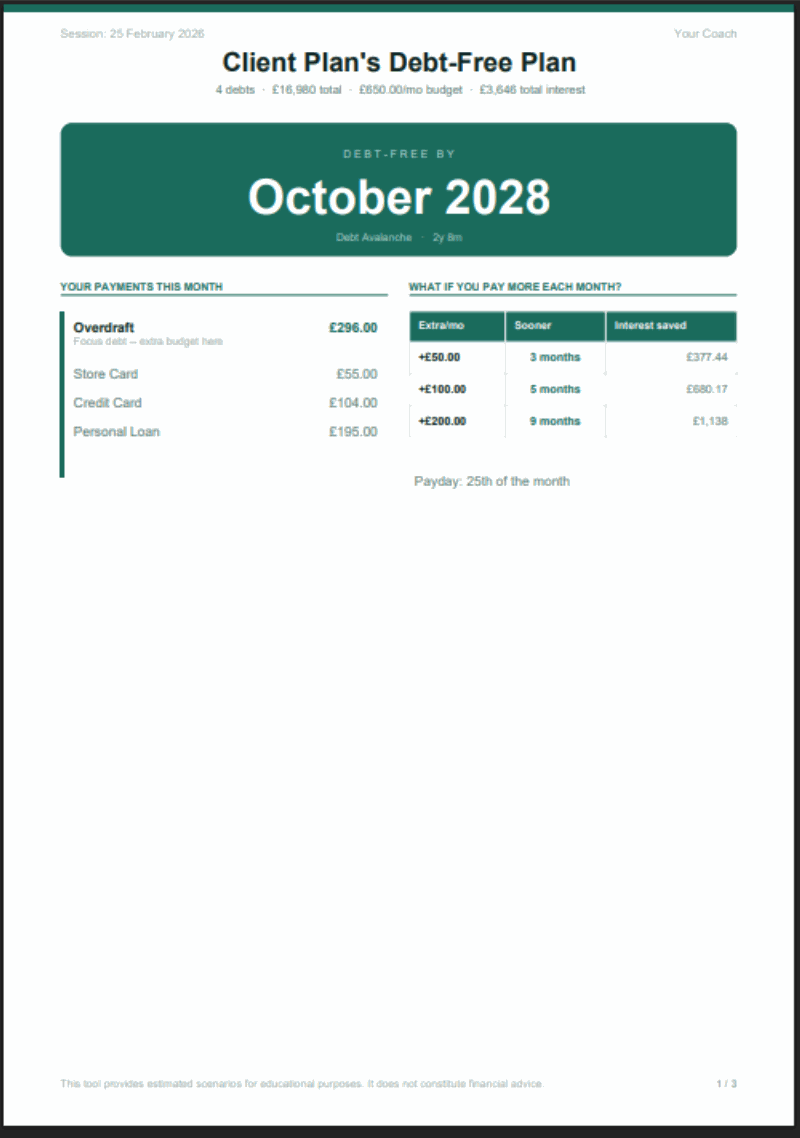
A report your client takes home.
One click generates a PDF your client keeps. Page one is the plan summary: the projected end date, this month's payments and what-if scenarios, in a clear, scannable layout. Pages two and three cover the full debt table and payment schedule. The plan PDF and spreadsheet carry the educational disclaimer automatically.
When needed, a Standard Financial Statement comes too, in the UK standard format, with the first month's offer to each creditor, ready to take to a free adviser or send. Your client's copy leaves out your session notes; your own copy keeps them.
Built for UK debt, not retrofitted.
Many debt tools are built for other markets. DebtRiot is built for the UK, down to the details that matter here.
What DebtRiot doesn't do.
The limits are the point. They keep the tool on the information side of the line, whoever uses it. If you are not a regulated debt adviser, they keep you inside the perimeter. If you are, the advice stays yours.
- It doesn't recommend a strategyFive strategies are compared. None is picked, ranked or suggested. Your client decides.
- It doesn't contact or negotiate with creditorsNo arrangements, no interest freezes, no Breathing Space applications, no insolvency. It prepares a Standard Financial Statement; your client or their adviser decides what to do with it.
- It doesn't fix a negative budgetWhere there is no money left after essentials, no repayment order changes that. The tool says so plainly.
- It doesn't replace debt adviceWhen the figures don't support a repayment plan, the tool says so and points to free, regulated advice rather than carrying on.
- It isn't practice managementNo client acquisition, no CRM, no scheduling, no invoicing. A different kind of product.
- It isn't investment or wealth adviceDifferent profession, different permissions. DebtRiot stays on repayment planning.
Free regulated debt advice is available from StepChange, National Debtline, Citizens Advice and MoneyHelper.
Choose Your Plan
DebtRiot for Professionals
One licence per seat. Everything included.
£29 per seat / month
- All five repayment strategies
- APR and EAR, 0% promotional periods
- Snowflake payments
- Unlimited plans
- Presentation mode
- PDF and spreadsheet export
- What-if scenarios
- Follow-up progress tracking
- Save and load plans as files you own
14-day free trial. Cancel anytime.
Set the number of seats at checkout - each seat gets its own access code, and you can download them all as a file. For larger teams, or to discuss a volume price and invoicing, get in touch. Councils, housing associations and employers have a separate product built for site-wide use.
FAQ
No. DebtRiot is an educational planning tool that helps professionals illustrate repayment scenarios. It does not provide regulated financial advice, and it does not recommend a strategy. Every PDF, spreadsheet and on-screen output carries an educational disclaimer automatically.
No. DebtRiot runs entirely in your browser - Chrome, Safari, Firefox or Edge on any laptop, tablet or desktop. There is no app to install, no software to update, and no client data stored on our servers.
Yes, that is exactly what it is designed for. Presentation mode gives you a clean, client-facing view with a session timer and tabbed navigation. Share your screen or turn your laptop around.
Credit cards, overdrafts, personal loans, car finance, store cards and payday loans. Each debt can use APR or EAR - select overdraft as the type and the rate switches to EAR automatically - and you can add 0% promotional periods with remaining months.
Not today. Reports carry the DebtRiot name and your client's name. There is no business name, logo or colour customisation in this product. If white-labelled reports matter to your practice, tell us - it helps us decide what to build next.
Load a previously saved plan, enter your client's updated balances, and the tool compares the original plan against the current figures - per debt, with visual progress bars. New debts are flagged and included in the recalculation.
Yes. Monthly billing is month to month with no lock-in contract. Annual can be cancelled too, and you keep access until the end of the period you have paid for.
No. All plan data stays in your browser. Plans are saved as JSON files on your own device. PDF and spreadsheet reports are generated on your device - nothing is uploaded, transmitted or stored on our servers.